KuCoin Exchange Provider
Back your spot desk with your own KuCoin account: markets, balances, deposits and payouts, one connection.
- Your whole spot desk backed by one KuCoin account you already control
- Three-secret credentials handled end to end: key, secret and passphrase
- A live signed credential test that names the failure, not just that there was one
- Preview-first imports, so you read the delete list before anything is written
- Per-pair taker and maker rates you can override, with a fee comparison screen
- The main-to-trade transfer every KuCoin payout needs, run for you
- Deposit addresses resolved through five methods, so awkward assets still work
- Order-book depth snapped to the four values KuCoin will actually serve
- Contract symbols filtered out of the spot import, so ticker batches survive
- Open spot orders reconciled every 60 seconds, fills credited and holds released
- One switch moves the whole platform between KuCoin, Binance and XT
- A per-provider proxy with a test button for regions KuCoin will not serve
Inside the KuCoin provider
Your spot desk, running on your own KuCoin account
Markets, tickers, order books, candles, deposit addresses and payouts all resolve to one connection you own. Your platform does not match orders — it forwards them and mirrors the result back, so every customer balance is a ledger row backed by coins sitting in your account.
In detail
The KuCoin provider makes your own KuCoin account the source of truth for everything your platform's spot wallets touch — the market list, the tickers, the order book, the candles, the deposit addresses your customers are shown, and the withdrawals that leave. Your install does not match orders. It forwards them and mirrors the result into its own database, so every spot balance on your platform is a ledger row backed by coins sitting in an account you control.
How it works
Exactly one exchange provider is active platform-wide. You activate the licence, put three values in the project root `.env` — key, secret and API passphrase — enable KuCoin from the extensions screen, and restart. From then on the platform forwards every spot order and mirrors the fill back, a reconciler sweeps open orders every 60 seconds, and separate jobs credit deposits and finish withdrawals. Currencies and markets are imported from KuCoin preview-first: the first press computes a plan and writes nothing, and everything it creates arrives disabled, so nothing is listed until you enable it.
What you configure
| Surface | What you set |
|---|---|
| Credentials | Key, secret and passphrase, in the project root .env |
| Active provider | One switch. Enabling KuCoin disables Binance and XT |
| Markets | Preview-first import, then per-pair precision, limits, taker and maker |
| Currencies | Preview-first import, decimals and fee, enabled one at a time |
| Withdrawals | A percentage fee, and whether you or the customer pays the chain fee |
| Charts | Cached candle days, intervals, and the rate a build runs at |
| Connection | A per-provider HTTP, HTTPS or SOCKS proxy, with a test button |
What operators control
An order table recording everything forwarded to KuCoin, with no button on it that can change a row — though the same table on a customer's record does carry Edit and Delete, and either one takes the order out of reconciliation with the customer's funds still held, so withhold those two permission keys. A withdrawal queue that holds every request for manual release, carrying the destination, the wallet type and the age. A live balance screen, a fee comparison that puts what KuCoin charged you beside what you charged your customer, and candle-cache build, repair and clean.
Requires the Bicrypto core. KuCoin authenticates with three secrets rather than two, and neither the platform's credential guard nor the system health badge checks the third — a wrong passphrase leaves charts and tickers working while balances, deposit addresses and withdrawals quietly stop. Verify from the Exchange screen, keep a working float in KuCoin's Main account, and treat a later provider switch as a migration rather than a setting.
Three secrets, and only two of them are checked
KuCoin signs every private request with a key, a secret and an API passphrase you invent when you create the key and are never shown again. Your platform's own credential guard tests the first two; the passphrase is handed straight to the exchange library, which is what refuses the connection. Miss it entirely and the whole spot stack goes dark and says so. Get it wrong and the connection quietly rebuilds itself with no credentials at all: markets, tickers and charts keep working while balances, deposit addresses and withdrawals stop.
The Health badge builds its verdict from the key and the secret only, so it reads green on exactly that failure. Verify from Admin → Finance → Exchange, which makes a real signed call. Credentials are read once per process, so any change needs a restart.
The first press writes nothing
Importing currencies or markets is two presses, on purpose. The first returns a plan and changes nothing: how many rows would be created, how many removed, a sample of exactly which ones, and how many order records sit on the markets in that delete list. A delisted market that still carries open orders is never removed, because those orders are holding customer funds, and it is reported as kept rather than quietly skipped. Order history is counted and retained rather than deleted, and swap and futures symbols are filtered out before any of it — KuCoin returns all three market types in one call, and a single contract symbol breaks every batched request afterwards.
Every market an import creates arrives switched off, and enabling is a separate decision, one at a time or in bulk. Re-importing later to refresh precision or fees does not switch off the currencies you have already turned on.
A resting order holds the coins. A fill is what takes the fee
A limit order that does not fill on placement moves the customer's funds into a hold instead of debiting them, so the money is reserved and still theirs until something happens to the order. A sweep asks the venue about every open order once a minute and settles what it finds: the filled slice comes out of the hold, the proceeds are credited net of fee, and any unfilled remainder is released. Your fee is charged on the filled portion only, at the rate you set on that market, and it is credited to your own platform wallet in the asset it was taken in — the coin bought on a buy, the quote asset on a sell.
The side picks the rate, not whether the order rested: a buy is charged the taker rate and a sell the maker rate. Both are seeded from KuCoin at import and are yours to change per market afterwards. Revenue accrues as a balance per fee asset, and nothing converts those balances into one currency for you — the order board prices them to USD to report them, but the coins stay in the asset they were taken in.
A deposit address off your own account, and the hash that ties it to a person
The customer picks a currency and a network, and the platform asks KuCoin for an address then and there — nothing is stored and no key is derived. Only networks KuCoin currently reports as depositable are offered, so a paused chain is absent rather than an option that fails, and where the exchange returns a memo or destination tag the screen shows it marked required. Submitting the transaction hash is mandatory, because that hash is the whole mapping from coins landing in your account back to the person who sent them. From there it is checked every fifteen seconds for thirty minutes, a job every fifteen minutes picks up anything that arrived late, and the credit and the status change happen in one locked write behind an idempotency key.
One address per currency and network, shown to every customer who picks that pair. A deposit sent without a required memo, or on a chain the address does not serve, is a support case with KuCoin rather than something the platform can resolve.
Payouts leave from Main, and the balance screen shows Trade
KuCoin splits an account into a funding side and a trading side, and the withdrawal path crosses that boundary before it sends anything: it transfers the amount from Main to Trade and refuses to continue unless that transfer comes back with an id. No other provider has this step. Deposits cross the other way after the customer has already been credited, so a failure there never costs them anything.
The only balance screen in the product resolves to the Trade account, so a float swept entirely into Trade looks healthy and fails every payout at step one. Keep a working balance in Main, and grant the API key Transfer permission as well as Withdrawal.
The board tells you what is stuck, not only what it earned
The spot order screen carries settled notional, fee revenue, the effective take rate, orders placed and the reject-and-expire rate over any of six windows, with fee revenue broken out per fee asset — which doubles as the list of wallets worth sweeping. Beside them sit four figures that are a snapshot rather than a window and deliberately do not move when you change it: resting exposure, orders that have been open longer than a day, fills that closed with no venue reference, and the lifetime trader count. An order still open after twenty-four hours is either one the venue will never fill or one the connector missed, and either way customer funds are held behind it, which is why it has a tile to itself.
Fee revenue is a real USD figure because every order records its own fee asset. Settled notional is not, and is shown without a unit for that reason: it is a sum across several quote assets, so read it for movement rather than as an amount.
The flag moves the instant you throw it. The connection does not
Enabling KuCoin disables Binance and XT in the same database transaction — there is no multi-provider mode — and that transaction is the entire toggle. The live connection is built once per process and kept, so the backend and the cron worker each have to be restarted before one customer order changes venue. In the gap between the two, the credential check builds its own throwaway connection and reports the new provider as healthy while orders still go to the old one. Knowing that is the difference between a planned migration and a discovered one.
Plan the move with trading paused. Settle every open order first — the reference ids belong to the venue you are leaving and nothing in the admin panel releases a hold — then move the float by hand, and expect deposits to retired addresses for months.
- secrets to connect
- 3
- KuCoin accounts to fund
- 2
- money jobs on a timer
- 5
- provider live at a time
- 1
Everything included
95 capabilities, in 11 areas
Every item below exists in the source you receive. Nothing here is a roadmap.
Connecting your KuCoin account
Everything between a purchase code and a live signed call.
- Licence activation from an Envato purchase code, re-checked as a file on every toggle
- Three credentials — key, secret and API passphrase — read from the project root .env
- A live signed credential test on page load, and a Verify button that repeats it
- Named verdicts for missing credentials, rejected credentials, region block, insufficient key permissions, clock skew and rate limiting
- Regions tab naming the countries KuCoin will not serve
- Per-provider proxy over HTTP, HTTPS, SOCKS4 or SOCKS5, with credentials masked on read
- Proxy test that opens a real connection before you save it
- Signing clock bracketed against KuCoin's own server time and resynced every five minutes
- Three retries, then a 30-minute cooldown, when the connection cannot be built
- Outbound connection pinned to IPv4 so there is one address to whitelist
Currencies and markets
Both imports are preview-first: the first press writes nothing.
- Spot currency import with create, update and delete counts shown before anything is written
- Market import with the same two-press flow and a sample of what it would remove
- Swap and futures symbols filtered out — KuCoin returns all three market types in one call, and one contract symbol breaks every batched request
- Delisted markets still holding open orders are kept, and reported as kept
- Order history retained when a market is removed
- KuCoin's tick-size precision converted to decimal places on import
- Price and amount precision editable per market
- Taker and maker rates editable per market, separate from what KuCoin charges you
- Trending and Hot flags per market
- Single and bulk enable/disable — every import arrives switched off
- Missing-currency alert for any pair whose base or quote is not enabled
- Per-currency name, decimals, fee and status
The trade screen your customers use
Dark without a provider; everything on it resolves to your account.
- Market and limit orders, buy and sell
- Ticker, candles, trade tape and order book over WebSocket
- Order-book depth snapped to the 5, 20, 50 or 100 KuCoin will serve, then trimmed back to the size that was asked for
- KuCoin's own depth ladder selected in the browser by a three-letter alias
- TradingView charts, or the Chart Engine addon, chosen by a setting
- Market list with search, sorting and trending/hot sections
- Per-customer watchlists across spot, ecosystem and futures markets
- Open orders and full order history, with cancel
- Personal trading analytics by period and market type
Orders and settlement
Your platform forwards the order; this is what happens to it after.
- Five order states: OPEN, CLOSED, CANCELED, EXPIRED, REJECTED
- Time in force stored on each order as KuCoin reports it
- Resting limit orders hold funds rather than debiting them
- Open orders reconciled against KuCoin every 60 seconds — fills credited, cancellations released, partials prorated
- Settlement idempotent across the reconciler, the trade socket and the customer's own cancel
- One failing order isolated from the rest of the sweep, and orders minted by a provider you have since switched away from skipped rather than offered to KuCoin
- Platform fee taken on the filled portion — base asset on a buy, quote asset on a sell
- Admin order table carrying KuCoin's own order id, the fills, the average price and the raw metadata
Deposits
Addresses come from your account, live, per request.
- Deposit address per currency and network, fetched from your KuCoin account
- Five-method address cascade, because KuCoin's coverage varies by asset
- Only networks KuCoin currently reports as depositable are offered
- Chain names translated to KuCoin's token standards: ERC20, BEP20, TRC20, POLYGON, AVAX
- Memo captured alongside the address on memo-carrying chains
- Live detection: a 15-second poll for 30 minutes while the deposit screen is open
- Two-way KuCoin lookup — with the mapped chain, then without it, because the chain filter does not match consistently across assets
- Catch-up sweep every 15 minutes for anything the live window missed
- Optional expiry window that marks a stale deposit TIMEOUT instead of crediting it
- Credit and status flip inside one locked transaction behind an idempotency key
- Automatic Main-to-Trade transfer after the credit, best-effort so a failure never costs the customer
Payouts
The queue, and the KuCoin-only step that runs inside it.
- Withdrawal queue holding every request for manual release, oldest first, aged against your SLA
- Auto-approve as a single setting — manual is the shipped default
- Destination address, memo and wallet type lifted onto the row
- Amount and precision validated against KuCoin's live network data, not the imported table
- Main-to-Trade transfer before every send, aborted if it returns no id — no other provider has this step
- Atomic claim on the row, so a double-click or an overlapping bulk run cannot broadcast twice
- Client order id wd_<transaction id> on every send, searchable in KuCoin's own history
- Outcome resolved by re-reading the withdrawal for its real fee and final status
- Automatic refund with the reason recorded when the exchange refuses
- Reject with a required reason, emailed to the customer verbatim
- Bulk approve and reject, reporting per-row success and failure rather than rolling back
- Crash reconciler every 5 minutes for rows stranded between the debit and the send, plus a 30-minute pending sweep
- Percentage withdrawal fee, and a switch for whether you or the customer pays the chain fee
Charts and candle history
- Candle history built once and cached on disk, with Redis in front
- 14 intervals from 1m to 1w
- Build progress streamed to the screen while it runs
- Gap repair for a single market and interval
- Cache clean per symbol and interval, from disk and from Redis
- Cache depth in days, request spacing and auto-update as settings
- Per-market cache statistics and disk size
What the desk reports
- Settled notional, fee revenue and effective take rate
- Resting exposure, and open orders gone stale over 24 hours
- Orders placed, rejected and expired, and the reject rate
- Unreconciled fills
- Fee revenue by currency, and top symbols by settled notional
- Lifetime trader count
- Live KuCoin balance per asset, split available against in-order
- Fee comparison: what the exchange charged against what the platform calculated, per fee currency
Rate limits, health and diagnostics
The states this integration can be in, and where each one shows.
- Rate-limit ban recorded with a self-clearing expiry, clamped to 24 hours
- Ban countdown surfaced on the chart screen, with the build action disabled behind it
- Every spot path no-ops instead of erroring while a ban is set
- Exchange name scrubbed out of every error text a customer can see
- Tagged backend logs for the connection, deposits, withdrawals, currencies and the cron jobs
- Scheduled-task monitor listing each of the six jobs and its last run
Switching provider
One flag moves; this is what the product gives you to move the rest.
- One switch: enabling KuCoin disables Binance and XT in the same database transaction
- Licence file re-checked on every toggle, so an unlicensed provider cannot be enabled
- Preview-first re-import of currencies and markets, with the delete list shown before you confirm
- Candle cache clean and rebuild, because cached candles carry no provider in their path
- Adjust Balance on the wallet screen for crediting late deposits to a retired address by hand
- Unused provider credentials sit inert rather than conflicting — the variable names are built from the active provider's name
Access and audit
- 23 exchange permission keys, grantable per role
- Separate view, create, edit and delete keys for markets, currencies and orders
- Chart building gated separately from chart reading
- Enabling a market gated on the ecosystem market key rather than the exchange one
- Provider changes written to the admin audit trail; the credential test and the proxy test deliberately excluded from it
- Licence
- Activated from an Envato purchase code against product id 37179816, and checked as a file on disk every time the provider is toggled
- Requires
- The Bicrypto core. The connector already ships inside it and the kucoin row is already in your database — this licence is the right to switch it on.
- Also needs
- A KuCoin account with an API key, secret and passphrase, and outbound HTTPS from your server to KuCoin
- Runs on
- Your existing backend and cron worker. No new process, no node, no extra service.
- Storage
- MySQL or MariaDB for the ledger, Redis for the ticker cache, the ban marker and the candle layer; candles also cached on disk
- Credentials
- Three variables in the project root .env, read once when the client is first built
- Counted surface
- 7 admin screens, 61 spot endpoints (40 admin, 21 customer-facing), 23 permission keys
- Background jobs
- Six on the cron worker — five money jobs plus the currency cache warm
- Market data
- Tickers polled about once a second across your enabled markets; per-symbol book, trades and candles over WebSocket
- Works alongside
- Chart Engine for candles instead of TradingView, and the Ecosystem addon, whose markets run on their own wallets and never mix with these
- One provider at a time
- Enabling KuCoin disables Binance and XT in the same transaction. There is no multi-provider mode and no per-market routing.
- Every credential or provider change needs a restart
- The connection is built once per process and kept for its lifetime, and the backend and the cron worker each hold their own. A green Verify describes your .env, not what the running processes are doing.
- The passphrase is not checked by the platform
- The credential guard and the dashboard health panel read the key and the secret only. A wrong passphrase reads green while balances, deposit addresses and withdrawals stop.
- Custody is your KuCoin account
- Customer SPOT balances are ledger rows against one account. No keys are derived and nothing is held on chain — per-customer on-chain custody is the Ecosystem addon, a different product.
- One deposit address per currency and network
- Every customer is shown an address on your account, and the transaction hash they submit is the entire mapping back to a person. Deposit addresses are never stored anywhere.
- Nothing reconciles the float for you
- No screen compares what your customers are owed against what the account holds, and the balance screen resolves to KuCoin's Trade account only. Main has to be read in KuCoin's own interface — including the working balance every payout draws on.
- The fee comparison screen is scoped to your own orders
- It reads the exchange orders belonging to the signed-in admin, not the platform's book.
- Switching away is a migration, not a setting
- Markets, currencies, open orders, pending deposits, cached candles and the coins themselves all stay pointed at KuCoin, and no admin action releases the hold on an order the new venue cannot resolve. Every address you have ever shown stays live and stops being credited.
- No sandbox, and some regions need a proxy
- There is no testnet setting — anything you point it at is live. KuCoin also refuses several regions outright, and a server in one of them needs a proxy before any call succeeds.
Loved by customers
Reviews
No reviews yet. Own it? Share your experience.
Own this product? Sign in to leave a review.
Better together
Bundles containing this product
Get KuCoin Exchange Provider for less as part of a bundle.
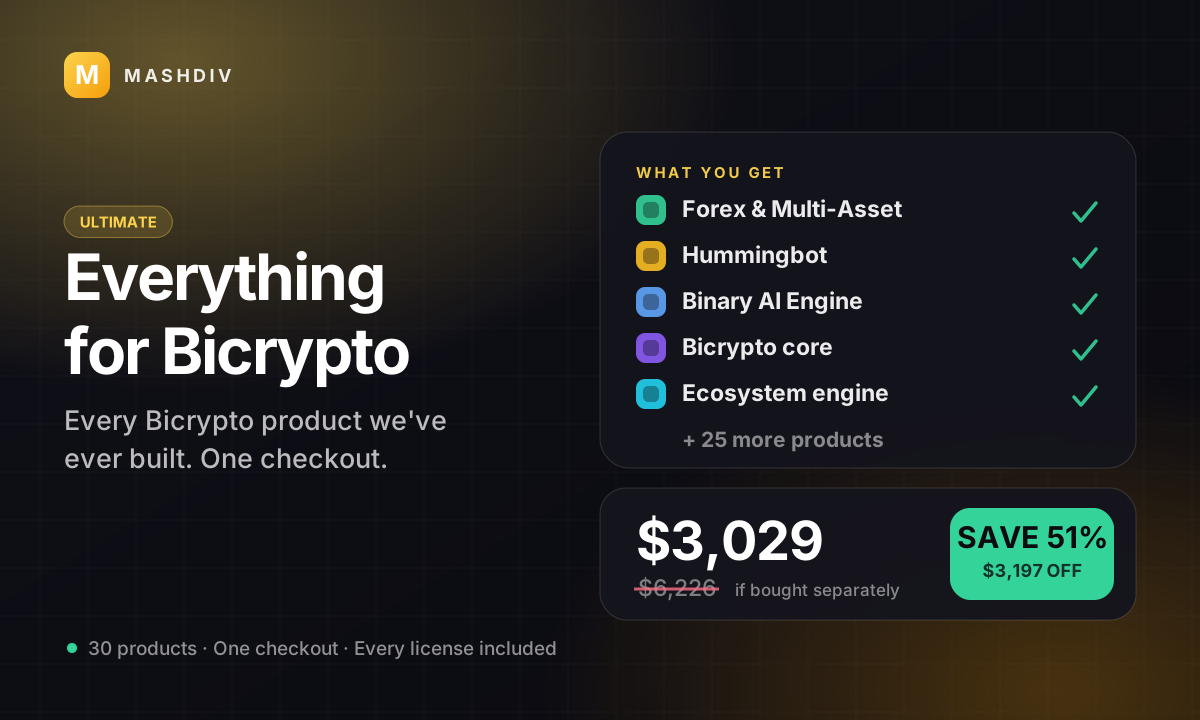
 ULTIMATE
Everything for Bicrypto
Every Bicrypto product we make — every addon, every chain, both apps, one price.
- Forex & Multi-Asset Trading
- Web3 Wallet & On-Chain Trading
- Instant Convert
- Hummingbot Connector
- + 30 more
Keep exploring
Related products
 Provider
Binance Exchange Provider
Point the whole spot desk at your own Binance account — real books and real prices, with no node to run.
 Provider
XT Exchange Provider
Run your platform's whole spot desk off your own XT account — one licence, one switch, one credential pair.
 Provider
Hummingbot Connector
Make your platform a venue Hummingbot can trade on — and keep the kill switch in your admin panel.