AI Support Agent for Bicrypto
Answers your tickets from your own documentation, cites the passage, and refuses whatever it cannot ground.
- Answers tickets and live chat from your own articles and your product docs
- Shows the passage behind every answer, so a customer checks it and you audit it
- Refuses below a retrieval floor instead of guessing, and hands over honestly
- Your fees, limits, timings, countries and refunds answerable only from your writing
- Offers the answer while the customer is still typing the subject line — no model call
- Triages every ticket into a real priority and category, even in copilot mode
- Serves your published articles as written, with no answering model call behind them
- Optional multilingual answering, grounded in your English documentation
- An Assistant that answers YOU about running the platform, and holds actions for approval
- Coverage report: what share of your customers' real questions you can answer, and what to write next
- Three autonomy rungs, and a measured gate before the console will promote one
- Fifteen seeded onboarding questions turn the empty state into a to-do list
- Fifteen named handover reasons, sorted into incidents, homework and by-design
- Gaps grouped by meaning, so one article closes six phrasings of one question
- A nightly job drafts articles from the replies your agents already typed
- Hands over with a three-line brief and a suggested reply your agent can edit and send
- 21 walkthroughs that highlight the control on the customer's own screen
- Daily and monthly dollar ceilings that stop it dead rather than overspending
- Read-only account tools; passwords, keys, wallets and KYC never leave your server
- MashDiv AI metered from your store wallet, or bring your own provider key
Inside AI Support Agent
An assistant you can leave switched on
It answers tickets and live chat from your own knowledge base and the documentation of every product you own, and shows the passage behind every answer. What makes it safe to run unattended is the list of things it will not say — and each one of those becomes a to-do item you can close.
In detail
Your support desk gets a first responder that never sleeps and never guesses. It reads the ticket or live chat, searches your own articles and the documentation of every product you own, and either answers with the passage it used printed underneath, or says so and puts a person on it. It ships switched off and is promoted one rung at a time.
How it works
A turn passes eight gates before a customer sees anything: the channel switches, the spend ceiling, whether a colleague has taken the conversation over, your escalation rules, the retrieval floor, the operator-policy test, the post-filters, and a last claim check under the ticket lock. Retrieval runs before the answering model is called, so a question nothing covers is refused for the price of the search rather than the price of an answer — and produces an honest handover instead of an invention. Answers that do get written are scored against the passages they cite, and withheld when too little sits behind one.
Work it does before it answers anything
Not every job needs a written reply, and the cheap ones start earning on day one. As a customer types a subject line, an article that already solves their problem is offered inline — search only, no model call, and the file-anyway button is never hidden, which is what makes it the one deflection figure that counts tickets which genuinely never happened. Every ticket that is filed gets triaged: one cheap call replaces the customer's own guess at how urgent it is, and their free-text tags, with a priority and a category your queue can sort by. Triage runs even in copilot mode, so the desk is better organised before you have decided to trust a single reply.
Where one of your published articles unmistakably answers the question, it is served as you wrote it, with no answering model call behind it. And with multilingual answering switched on, somebody writing in Spanish, Arabic or Japanese is answered in their own language from your English documentation — with the operator-policy gate holding in every one of them, not just English.
The surface you configure
| Screen | What it decides |
|---|---|
| Overview | Cost, outcomes, why it handed over, what it deflected, and the copilot edit distance the promotion gate is measured on |
| Live Inbox | The conversations it is handling now — take one over, or hand it back, with a three-line brief and a suggested reply |
| Assistant | Answers *you* about running the platform, from the operator documentation and this install's live state |
| Agents | The name, the voice, the model, and the line that tells a customer it is software |
| Sources | Your articles, your FAQ and the shipped docs, plus a tester that answers why it refused |
| Gaps | Questions it could not answer, grouped by meaning, with the article that closes each cluster |
| Actions | 3 reversible account actions and 19 multi-step processes, each off until you allow it — both tiers need the MashDiv gateway; the 21 walkthroughs work on any provider |
| Provider | MashDiv AI, or your own provider key — your own key lives in the environment file, so it needs shell access |
| Settings | 43 keys: budgets, confidence floors, retention, office hours, which channels it may touch |
It answers you, too
The Assistant is the half of this product that never speaks to a customer. Ask it how to run the platform and it answers from the operator documentation and from what this install is actually doing right now — what is waiting in the queue, how the platform is holding up, what your admins have just changed. It can walk you to the control on your own admin screen, and it can hold an action for your approval rather than taking it.
Every catalogue it draws on is filtered by the permissions of whoever is asking, so it can never name a screen, count a queue or offer an action that person could not already reach on their own. It is off until a Super Admin turns it on.
What you can measure before you trust it
The coverage report replays your customers' real question subjects against your own knowledge base and tells you what share of them you can answer today — and which handful of missing pages would move that number most. Every night, the replies your agents typed by hand are turned into draft articles for review, so the questions you answer twice become questions that answer themselves.
What operators control
Autonomy has three rungs — copilot, tickets only, everything — and the console will not promote until it has measured your own agents editing its drafts. Demotion is instant and never questioned. Daily and monthly dollar ceilings stop it dead instead of degrading quietly. Account tools are read-only, and any field carrying a password, an API key, a wallet address or a KYC document is stripped before anything reaches a model. Twelve settings, the master switch and both spend ceilings among them, are Super-Admin only.
AI Support Agent is an addon for Bicrypto and needs no other addon, and a fresh install answers almost nothing — which is correct, not broken. The shipped documentation describes the software, not your fees, limits, review times or which countries you serve — and that is what tickets are about. Fifteen policy questions are seeded blank; filling them is the difference between a demo and a product. Live chat also ships off: tickets only, until you turn it on.
It ships off, and the console will not take your word for it
Autonomy has three rungs: copilot, where a person presses Send on everything; tickets only, where live chat still goes to a human; and everything. Copilot is the shipped setting, and promoting past it is measured rather than asserted — the console counts reviewed drafts, how many were sent, how far your agents rewrote them, and whether your own onboarding questions are answered. Miss any of it and the promotion is refused with the reasons named.
Going back down a rung is instant and never questioned. The master switch, the autonomy mode, both spend ceilings and the account-tools switch are Super-Admin only — twelve keys in total that an ordinary admin can see but not change.
You know what each answer cost, and the ceiling stops it dead
Every turn records what it used and what it cost — tokens in and out, what the prompt cache saved, the price, and how long the customer waited — against whichever provider you run it on: the managed connection or your own provider key. Ceilings ship switched ON at five dollars a day and a hundred a month, on UTC windows, so an install is capped before anybody remembers to cap it. Reaching one does not buy a cheaper model or a shorter answer: it stops, and every conversation escalates to a person.
Set either ceiling to 0 and it is uncapped — the ceiling is your decision, not ours. The one thing it will not do is spend quietly: an install whose provider returns no price for a call is refused outright rather than billed as free.
The cheapest ticket is the one nobody files
As a customer types a subject line, the assistant searches your published articles and offers the one that unmistakably answers it — no model is called, so it costs nothing and is safe to run on a keystroke. Only text you wrote and published can appear there: the shipped documentation cannot, and a draft is not in the index at all. The customer says whether it answered them, and the three outcomes are recorded and counted apart — shown, answered it, filed anyway — because filed-anyway is the one that finds an article which looks right to search and reads wrong to a person. Separately, you can state your team's real hours, and every “someone will reply here” then carries the next opening time in your own timezone.
Nothing runs under twelve characters, and the button that files the ticket anyway is never hidden and never dimmed. The pre-ticket panel ships on; office hours ship off with the schedule already filled in, because hours that are wrong are worse than no hours. The three outcomes are written per offer and returned separately by the overview endpoint over the same thirty days — in this build no admin screen draws them yet.
Every handover says what it means, and which ones you must leave alone
Fifteen named reasons cover every way a conversation reaches a person, and the report bands them before it ranks them: something is broken, this is your homework, this is the guardrail working. A provider outage sits at the top with a Test the connection button. Questions you have not documented come next, broken down by policy topic and matched to the empty seeded article that would close them. Money, account compromise and legal sit at the bottom marked Working as intended and carry no action at all, because there is nothing to fix — five of the fifteen are like that. An outage is rarely the loudest row, so ranking by volume alone would sink the one thing you must act on today below the homework and below the rows you must leave alone.
The window is thirty days on the screen; the API takes one to three hundred and sixty-five, and there is no control for it in this build. A reason nobody mapped still gets a row rather than vanishing — a report that adds up to less than the total it prints is worse than one with an unfamiliar word in it.
Every question it could not answer is a to-do item, not a dead end
A refusal is recorded as a gap, and the gaps are grouped by what customers meant rather than how they typed it, so six phrasings of one question read as one item worth a morning instead of six that each look like noise. Draft an article against the cluster and all six close together. A nightly job does the same thing unprompted, turning replies your agents already typed into drafts for review, and a coverage report replays your customers' real subject lines against your index to tell you which handful of pages moves the number most.
Serving a published article verbatim, with no model call at all, ships off — and in this build there is no control for it on the Settings screen: the key is accepted by the API and by a database row, and nothing renders it. The FAQ & Knowledge Base addon is optional — it adds a third source, it is not required.
It can do things for a customer, and it asks first every time
Three account actions — resend a verification email, withdraw a pending verification, mark notifications read — offered in the conversation and run under the customer's own session when they tap. The assistant holds no credential and no tool it can call accepts a user id, so it cannot act on an account other than the one it is talking to. Multi-step processes show you every step before you approve, because approving a plan and approving a direction of travel are not the same thing.
Actions and processes need the managed MashDiv connection; the 21 walkthroughs work on any provider and are never gated this way. Every one of the three actions is reversible — that is why they are the only three.
Almost nothing about a customer is read, and the words have an expiry date
An account read is deny-by-default: the query names three columns off the wallet and three off the verification record, and the balance is rounded to two significant figures before it goes anywhere. Twenty-two field names — passwords, keys, seeds, addresses, hashes, metadata — are stripped from every result afterwards as a second net, and no tool schema accepts a user id, so there is no account it could read but the one it is talking to. Free text gets different treatment, because prose has no columns to strip: before a conversation is sent to be summarised, harvested into a draft or taught from, twelve patterns run over it in a fixed order — the loosest last, so a narrow rule is never eaten by a broad one — and replace an address, a hash, a card, a phone number or a recovery phrase with a label. Conversation text is then cleared on your own schedule, ninety days by default, and the emptied turn is only removed once the month it was billed in has closed, so the sweep can never hand spend back against your own ceiling.
Switching the account tools off is one Super-Admin toggle, and then nothing the platform knows about a customer account is read into a prompt at all. Retention runs from one day to ten years, and what survives it is the conversation's own record — why it stopped, and what it cost.
- gates before an answer is sent
- 8
- handover reasons, in three bands
- 15
- walkthroughs it runs on screen
- 21
- topics only your articles answer
- 5
Everything included
134 capabilities, in 11 areas
Every item below exists in the source you receive. Nothing here is a roadmap.
Answering a customer
What happens between a customer writing and a reply appearing.
- Support tickets answered, or drafted for a person, per autonomy rung
- Live chat in the widget, on its own switch
- Every filed ticket triaged into a real priority and category, replacing the customer's own guess and their free-text tags — and it runs in copilot too, so the queue is better sorted before you trust a single reply
- Eight gates every turn passes before a customer sees anything
- Replies streamed into the thread as they are written
- A burst of typing debounced into one answer rather than three
- The passage behind each answer quoted in the conversation itself
- In-platform links resolved against a live catalogue of your own routes
- Thumbs up or down on any answer, with an optional comment
- A Talk to a person button that aborts a generation already running
- An AI disclosure line carried in the assistant's own voice
- A second question sent mid-generation retried, never dropped
- Answers in the customer's own language, grounded in English sources
What it will not say
The refusals are the product. Each one is a named, tunable gate.
- A retrieval floor below which no model is called at all
- A groundedness score checked against the drafted answer before it is sent
- Five policy topics answerable only from articles you wrote: fees, minimums and maximums, processing times, countries, refunds
- A refund-promise tripwire that discards the answer rather than editing it
- A post-filter that strips links the model invented
- Built-in triggers that cannot be switched off — money loss, account compromise, legal language, an explicit request for a person, frustration — the first three refusing without even drafting
- A turn limit, 1 to 20, after which it hands over regardless
- It never names the software vendor to your customers
- Customer text and account fields escaped against prompt injection
- Escalation rules over seven match types and five actions, three seeded
- A glossary of your own terminology carried into every prompt
Knowledge and retrieval
What it is allowed to read, and how a question finds it.
- Your own published articles, weighted above everything else
- One shipped documentation pack per product you own, indexed with no network access
- Your FAQ, when the FAQ & Knowledge Base addon is installed
- Scoping to installed and enabled products, with a ten-name alias table
- A BM25 keyword index built in-process
- Semantic rescue built from the corpus itself — no embedding model, no credential, no extra service
- Model re-ranking of retrieved passages, switchable
- Passage count per question configurable from 1 to 20
- Your live fee, minimum, maximum and processing-time configuration read as citable fact
- Current store-hosted documentation fused in by rank, on a 2.5-second timeout
- Operator pages excluded from customer answers, and the only corpus an operator question reads
- Customer help pages weighted above operator guides
- A retrieval tester: what was found, its score, the floor, and whether it would have answered
- Per-source chunk count, weight, last-index time and error
- Re-index on demand or nightly, with sources replaced atomically
- Release notes and resolved tickets never enter the index
Closing the gaps
Every refusal becomes a to-do item, and most of them get drafted for you.
- Every unanswerable question recorded with its count, best score and first-seen date
- Gaps clustered by meaning, so the count is customers rather than phrasings
- Weak passages: what was in front of the model when somebody pressed thumbs-down
- A coverage report replaying your own recent ticket subjects, with no model call
- Each coverage cluster priced in percentage points of coverage
- Inline publish that writes the article and rebuilds the index in seconds
- A batch drafter over the top open gaps, re-retrieved against today's corpus
- Three named drafting outcomes, including “only you can answer this”
- A nightly harvest turning replies your agents already typed into drafts, at no cost
- Teach from this ticket: the reusable pattern, never the transcript
- Conversations redacted before a model sees them, with the count of identifiers reported back
- Only published articles are indexed — a draft cannot reach a customer
- A provenance stamp on every machine-written article
- Fifteen seeded onboarding questions, shipped blank and undeletable
- A closed gap's question promoted to a one-tap starter in the chat
- Article create, edit, publish and delete, each rebuilding the index
Handover and the Live Inbox
The screen with a customer waiting on the other end of it.
- A full-screen inbox: the queue, the conversation, and the reasoning rail behind each answer
- Queue ordered risk first then age, across six session states
- Fifteen handover reasons, each with what it means and, where there is one, the next action
- Sorted into three bands: incident, your homework, working as designed
- A handover report over any window from 1 to 365 days
- Policy refusals broken out by topic and matched to the seeded question that closes them
- A three-line brief — wants, established, blocking — written once per conversation
- A suggested reply loaded into the composer with one press, and never sent for you
- Take over, which aborts a generation in flight and marks the conversation yours
- Release, or release with the assistant left off for that conversation only
- A custody block naming who holds the conversation right now
- Automatic reclaim of an abandoned handover, for five reasons only — never when the customer asked for a person
- Drafting that continues after a colleague takes over, on a switch
- An append-only log of every state change, actor and reason
- Notifications narrow by default: the assigned agent, not all 34 people holding the key
- Cancel a running multi-step process from the case pane
What it can do for a customer
Three tiers, and the two that can change an account ship off.
- Three reversible account actions: resend the verification email, withdraw a pending verification submission, mark notifications read
- Constant consent text per action — one tap, or a modal for the consequential one
- The model only proposes; the write runs under the customer's own session
- Nineteen multi-step processes, with every step shown before you allow one
- Twenty-one walkthroughs that open a page and point at the control, one stop at a time
- Four of them hand off to a terminal's own onboarding tour rather than duplicating it
- Every walkthrough pre-flighted against that customer's own verification level
- Two allowlists pointing opposite ways: processes opt-in, walkthroughs opt-out
- Nine model tools, three of them account reads
- No tool schema accepts a user id — every read is the signed-in customer's own
- Docs-only mode: account reads withheld from the prompt, not merely refused
- Offers expire after 24 hours and abandoned processes after seven days, swept hourly
Where it appears, and when
The channels, the opening line, and the hours your humans actually work.
- Tickets and live chat as two independent switches
- A templated greeting with the customer's first name — no model call, no cost, no conversation opened
- Up to six one-tap starter questions under it
- Office hours as a week of ranges, with lunch breaks and an IANA timezone
- Schedule and timezone validated on save, with the unparseable line named back to you
- An offline notice carrying the next opening time, so “someone will reply here” gains a when
- Pre-ticket deflection: the article that answers a half-typed subject line, with the file-anyway button never hidden
- Deflection outcomes recorded — shown, resolved, filed
- Suggestions deduplicated inside 30 minutes, and withheld under 12 characters
- A published article served verbatim, with no model call at all
Reaching out first
The one capability that contacts a customer who did not contact you.
- A ticket opened, with an explanation, for a deposit or withdrawal that failed
- A five-minute settling window, and the row re-read immediately before writing
- A dry run showing exactly who would be contacted, with every skip named
- Three ceilings: per sweep, per customer per day, and per install per day
- Deduplicated by transaction tag, so switching it back on never doubles a message
- A safe fallback message when the generated one promises a refund
- Counted against the same budget, and stopped dead by it
Provider, models and what it spends
Which service answers, and the ceilings that stop it.
- Two ways to connect: MashDiv AI, or your own provider key
- Credentials read from the environment file; the screen shows a prefix and never a key
- A connection test that runs a real generation and separates missing, rejected and timed out
- A cost comparison priced against your own usage rather than a brochure's
- Switching provider translates all three model settings into the new vocabulary by tier
- Separate models for answering, re-ranking and classifying
- Reasoning effort across five levels, and it is billed
- Answer length from 1,024 to 64,000 tokens
- Daily and monthly dollar ceilings on explicit UTC windows; zero means uncapped
- A reached ceiling escalates every conversation and notifies the whole desk
- Refused and failed turns counted, because the tokens were still billed
- A prompt-cache health ratio, with an hourly alarm — the only detection this failure has
- A per-turn ledger: tokens, cache reads and writes, cost, latency, retrieval score, groundedness
- Six priced models; one with no price refuses to run rather than running unbounded
The console, and who may use it
Nine screens, and the keys that open each of them.
- Nine admin screens, grouped by when you use them rather than what they are
- An Ask about this customer rail on the customer record, audited like any staff action
- An Assistant that answers how to run the platform — from the operator documentation AND this install's live state, every catalogue filtered by the asker's own permissions
- Thirteen permission keys of its own, plus three core support keys it reuses
- Twelve settings only a Super Admin may change, shown locked with the reason on the row
- Forty-six settings keys, five tabs on the screen, written changed-keys-only
- A master switch that refuses to enable an install with no working provider
- Forty admin routes and eight customer routes, each with its permission declared
- A second view of the same tickets — your existing support desk is untouched
Data, retention and what leaves the install
The three questions a compliance review asks.
- Seventeen tables, all of them the addon's own
- A retention sweep from 1 to 3,650 days that keeps the handover record and deletes the text
- Auto-close for tickets nobody replied to, with the explanation posted before the status changes
- A twenty-two-field denylist applied to every account read before it can enter a prompt
- A free-text redactor for addresses and hashes written into prose
- Balances rounded to two significant figures before a model sees them
- Anonymised question sharing, off by default and filtered against the vendor's own vocabulary
- A cross-tenant answer cache, off, with three conditions before a turn is even shareable
- A per-customer deletion runbook, table by table
- Eight scheduled jobs, each visible in the platform's own cron console
- Licence
- Addon licence, activated in the Bicrypto extension manager. Full source.
- Requires
- Bicrypto core. No other addon is required.
- Runs on
- Your existing Bicrypto server. No new process, no new service — its eight scheduled jobs run in the platform's cron worker.
- Stack
- Node routes in the Bicrypto backend, Next admin screens, 17 MySQL or MariaDB tables. The search index is built in-process — no vector database.
- AI service
- MashDiv AI, or your own provider key set in the environment file.
- Admin surface
- 9 screens, plus a rail on the customer record
- API
- 40 admin routes and 8 customer routes
- Access control
- 13 permission keys of its own, 3 core support keys reused, 12 settings Super-Admin only
- Configuration
- 46 settings keys, across five tabs
- Catalogues
- 3 account actions, 19 processes, 21 walkthroughs, 9 model tools
- Integrates with
- Core support tickets and the live chat widget — one ticket table, so uninstalling leaves the desk byte-identical. Reads the documentation pack of every addon you own, and your FAQ if you run the FAQ & Knowledge Base addon.
- You pay for the model
- The licence buys the addon, not the tokens. On your own key you are billed by the vendor; on the managed connection you are billed by us.
- A fresh install answers almost nothing
- The shipped documentation describes the software, not your fees, limits, review times or which countries you serve — and that is what tickets are about. Fifteen policy questions ship seeded and blank; filling them is what turns it into a product.
- It ships off, and so does live chat
- The master switch is off, autonomy is copilot, and live chat is off. On the shipped defaults it touches tickets only, and drafts rather than sends.
- Account actions need the managed connection
- Actions and multi-step processes run on the MashDiv provider only. An install on its own provider key gets the 21 walkthroughs and no actions, however the switches are set. Walkthroughs are never gated this way.
- The AI key cannot be typed into a screen
- The public settings endpoint returns every settings row, so a credential written there would be world-readable. Connecting a provider means editing the environment file and restarting the backend — shell access, not a form.
- Four capabilities have no control in this build
- Multilingual answering ships off. Verbatim article answers and the shared answer cache are real keys with no field on the settings screen, and escalation rules and the glossary are live tables with no editor — all reachable only through the API or the database.
- Five admin buttons spend money off the meter
- Ask about this customer, Teach from this ticket, Draft articles, the Handbook and Test connection each call a model. All five are refused once a ceiling is reached, and none of them writes a row the ceiling is computed from.
- It never moves money
- No tool writes. The three account actions are reversible, non-financial, and execute only when the customer presses the button under their own session.
- It answers your platform, not your other channels
- Support tickets and the site's chat widget. There is no email, phone, WhatsApp or third-party helpdesk connector.
Loved by customers
Reviews
No reviews yet. Own it? Share your experience.
Own this product? Sign in to leave a review.
Better together
Bundles containing this product
Get AI Support Agent for Bicrypto for less as part of a bundle.

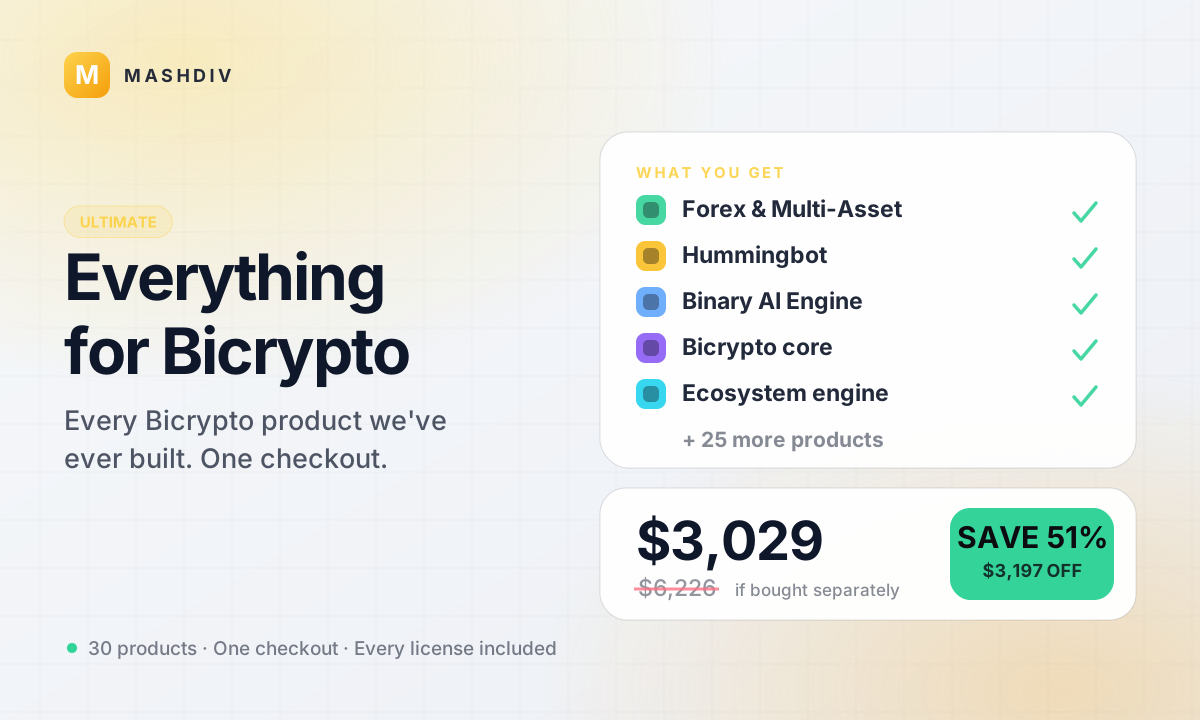 ULTIMATE
Everything for Bicrypto
Every Bicrypto product we make — every addon, every chain, both apps, one price.
- Forex & Multi-Asset Trading
- Web3 Wallet & On-Chain Trading
- Instant Convert
- Hummingbot Connector
- + 30 more
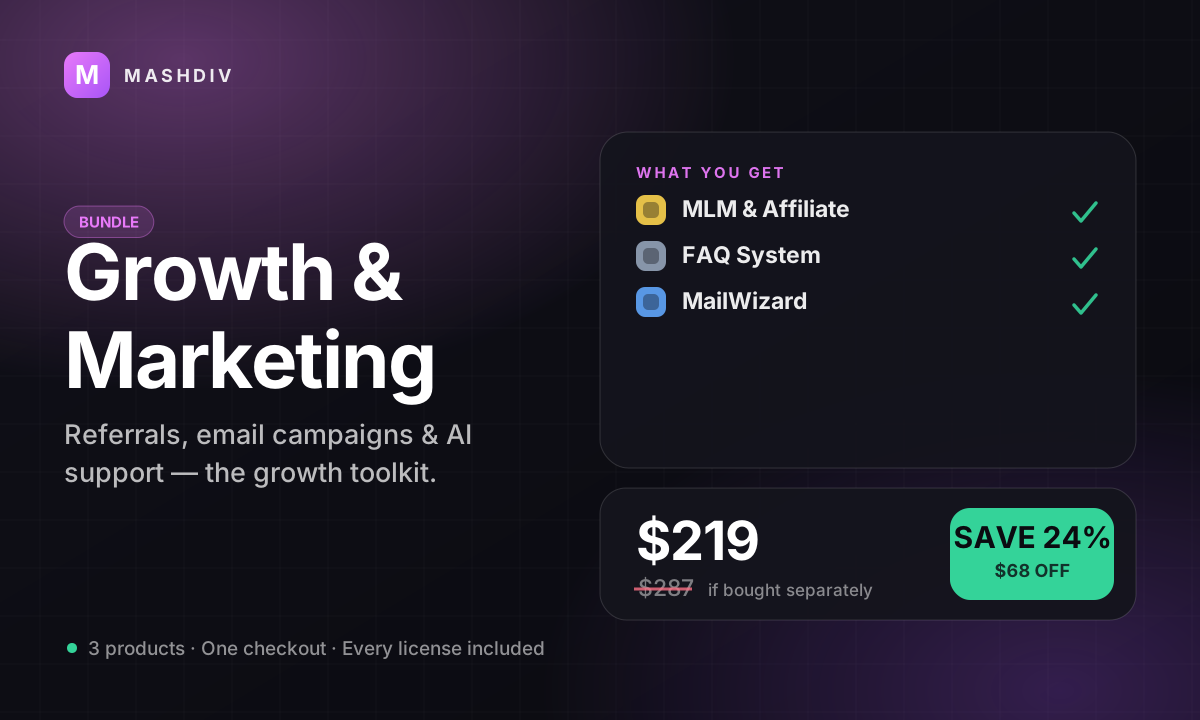
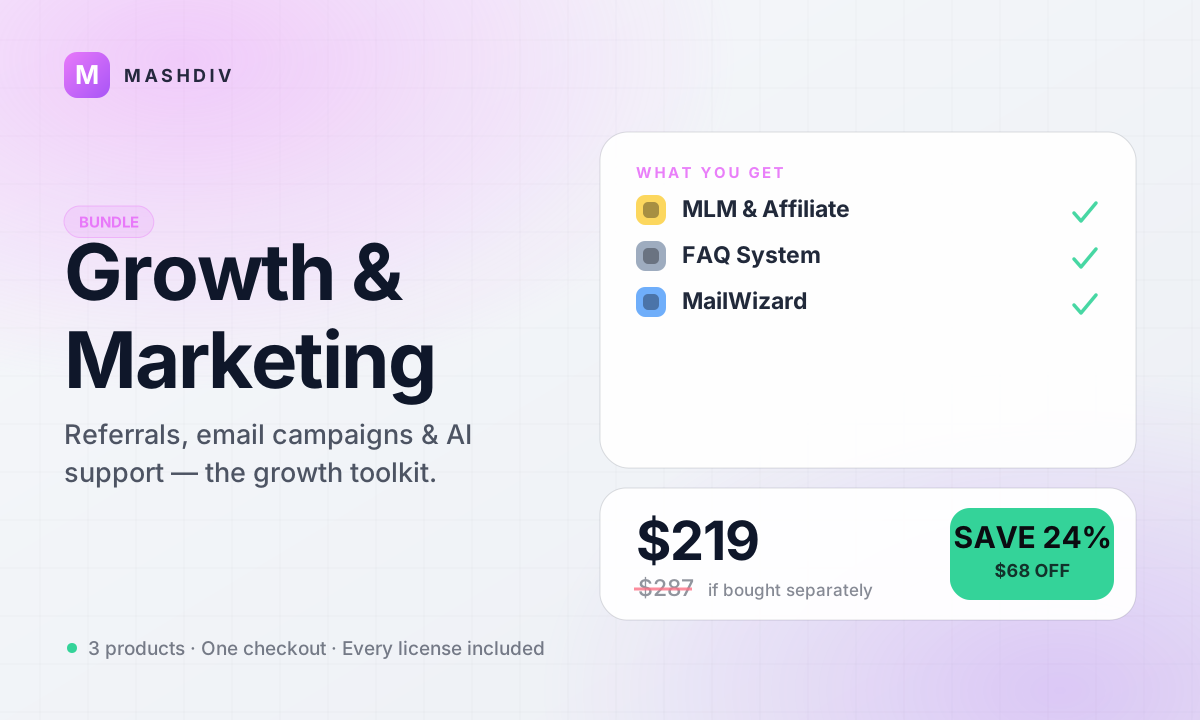
Growth & Marketing Pack
Acquire, activate, and retain — the complete growth toolkit for your exchange.
- MLM & Affiliate System
- FAQ System for Bicrypto
- MailWizard for Bicrypto
- AI Support Agent for Bicrypto
Keep exploring
Related products
 Addon
AddonAI Investments for Bicrypto
A duration-based investment product where you set the term, the rate and the outcome — and fund it yourself.
 Addon
AddonForex Investment for Bicrypto
Run a managed forex desk: you set the plan, the term and the payout, and settlement runs itself hourly.
 Addon
AddonMLM & Affiliate System
Your members bring the next ones, and you pay commission only when a referral actually deposits or trades.